“What is our leave policy for probation employees?” “Which customers have unpaid invoices older than 60 days?” “How many enquiries did the Coimbatore branch convert last month?” In most Indian companies, each of these questions means a message to someone in HR, finance or sales, a wait, and often a spreadsheet pulled together by hand.
An AI knowledge assistant is built to answer questions like these directly. This guide explains what one is, how it works with your own business data, where it helps first, what to prepare before rollout, and how to judge whether it is right for your company.
What is an AI knowledge assistant for business?
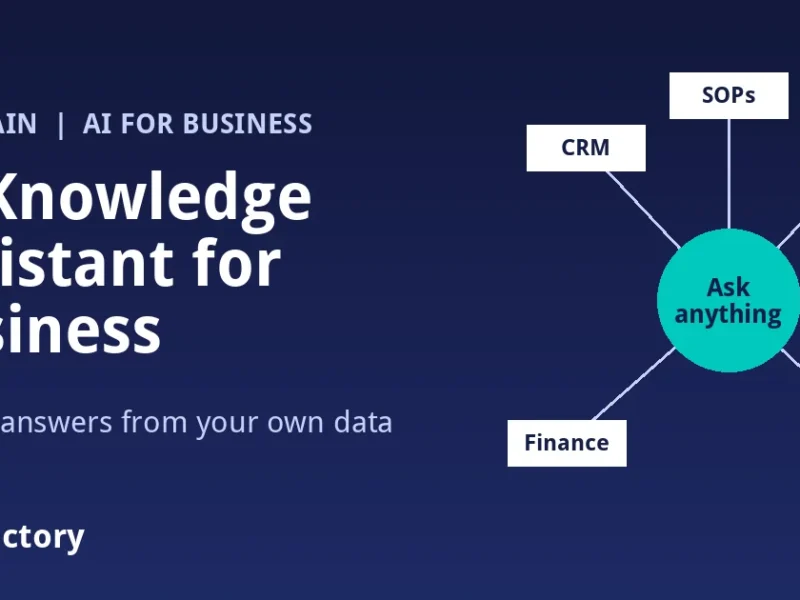
An AI knowledge assistant is a chat-style tool that answers employees’ questions in plain language using the company’s own information: documents such as policies and SOPs, and data from systems such as the CRM, HR, finance and operations tools. Instead of searching folders or asking a colleague, an employee types a question and gets an answer drawn from approved company sources, limited to what that employee is allowed to see.
It differs from a public AI chatbot in one important way. A public chatbot knows general information from the internet. A business knowledge assistant is connected to your company’s information, so it can answer questions about your own policies, customers, invoices and projects.
How it works, in simple terms
- Connect sources. The assistant is connected to the systems and documents you choose: for example, the CRM, HRMS, finance tools, shared drives and uploaded documents such as policies, SOPs, training material and contracts.
- Organise and index. Documents are processed so the assistant can find the relevant passages quickly. System data is read through connections so figures stay current.
- Apply permissions. Access rules decide who can see what. A sales executive should not get payroll answers; an HR executive should not see every customer’s payment history.
- Answer the question. When someone asks a question, the assistant finds the relevant information from the sources that person can access and writes an answer in plain language.
The quality of the answers depends heavily on the quality of the sources. If two versions of the leave policy sit in different folders, the assistant may find either one. Cleaning up sources is part of the project, not an afterthought.
Where an AI knowledge assistant helps first
| Team | Typical questions | Why it helps |
|---|---|---|
| HR | Leave balance, attendance rules, reimbursement policy, notice period, holiday list | Repetitive policy questions stop landing in the HR inbox |
| Sales | Pipeline by stage, follow-ups due today, a customer’s past orders and conversations | Managers get answers without waiting for a weekly report |
| Finance | Pending invoices, payments received this week, expenses against budget, pending approvals | Faster answers for leadership and fewer ad hoc report requests |
| Operations | SOP for a process, project status, inventory position, open escalations | Staff follow the current process instead of asking around |
| New employees | How to raise a purchase request, who approves travel, where the templates are | Onboarding is less dependent on one senior colleague’s time |
| Leadership | Revenue this month, key risks, approvals waiting, priorities for the week | One place to get a cross-department view |
Is your company ready? A quick checklist
An AI knowledge assistant gives the best results when a few basics are in place. Check these before you start:
- Your key data is in systems, not only in people’s heads. If customer data lives in personal WhatsApp chats and notebooks, start by moving it into a CRM.
- Policies and SOPs are written down and there is one current version of each.
- You know who should see what. Roles and access levels for HR, finance and sales data are defined.
- Someone owns the content. Each department has a person who keeps its documents up to date.
- You have clear first use cases. For example, “answer HR policy questions” or “give sales managers a daily pipeline view.”
If several of these are missing, you can still begin, but start with one department and fix the gaps as you go.
A practical rollout plan
1. Pick one high-volume question area
HR policy questions and sales pipeline questions are common starting points because they are asked often and the answers are well defined.
2. Prepare the sources
Collect the current documents, remove outdated versions, and check that the systems you will connect have reasonably clean data.
3. Set permissions before launch
Map roles to data. Test with real employee accounts to make sure each role sees only what it should.
4. Pilot with a small group
Ask a group of employees to use the assistant for their real questions for a few weeks. Collect questions it answered badly or could not answer.
5. Fix gaps, then expand
Most poor answers trace back to a missing or outdated document. Fix the source, then add the next department.
Data protection and accuracy: what to ask any vendor
Your company data, and your employees’ and customers’ personal data, will flow through this tool. Before choosing an AI knowledge assistant, ask:
- Where is the data stored and processed?
- How are role-based permissions applied to answers?
- Can answers show which document or record they came from, so users can check them?
- How are access and questions logged?
- How does the setup support your obligations under India’s Digital Personal Data Protection Act, 2023?
- What happens to your data if you stop using the service?
Also set expectations internally. AI assistants can be wrong, especially when the source information is incomplete. For decisions with legal, financial or HR consequences, employees should check the source before acting.
Common mistakes
- Connecting everything on day one. More sources means more conflicting information. Start narrow.
- Skipping permissions. A single salary figure shown to the wrong person can undo trust in the whole project.
- Treating it as a search box for messy folders. The assistant cannot fix contradictory documents; people have to.
- No owner after launch. Policies change. Without someone updating sources, answers go stale.
- Measuring nothing. Track how many questions are asked, which go unanswered and how often HR, finance or sales teams still get the same manual requests.
How Zea Brain fits
Zea Brain is URL Factory’s AI intelligence layer built on your own company data. It connects your CRM, HR, finance and operations information, along with uploaded documents such as policies, SOPs, training material and contracts, so employees can ask questions in plain language. It includes HR, sales, finance and operations assistants, an AI daily work briefing, live business dashboards and a CEO dashboard, and access is role-based so each person sees only the data relevant to their role.
Zea Brain works alongside the other Zea products, including ZeaCRM for leads and pipeline and Zea Voice for AI call answering. If your processes need automating before you can get good answers from them, our guide on what to automate first is a useful starting point, and if your systems need custom connections, our custom software development team can build them.
Key takeaway
An AI knowledge assistant can save your team from answering the same questions again and again and give managers faster access to their own numbers. The technology is the easy part. The results come from clean sources, clear permissions, a narrow first use case and someone who keeps the information up to date.
Frequently asked questions
What is the difference between an AI knowledge assistant and ChatGPT?
A general chatbot answers from general knowledge. A business knowledge assistant is connected to your company’s own documents and systems and applies your access rules, so it can answer questions about your policies, customers and finances.
What data can an AI knowledge assistant use?
Typically documents such as policies, SOPs, training material and contracts, plus data from business systems such as the CRM, HR, finance and operations tools. You decide which sources to connect.
Is it safe to connect HR and finance data?
It can be, if role-based permissions are set correctly, data storage and processing meet your requirements, and access is logged. Test permissions with real user accounts before launch.
Do employees need training to use it?
Very little. Employees ask questions in plain language, the way they would message a colleague. Some short guidance on what the assistant covers and when to check the source is useful.
Can an AI knowledge assistant give wrong answers?
Yes. Answers are only as good as the sources behind them, and AI can misread or miss information. Keep sources current and check the original record before acting on important decisions.
Which department should start first?
Choose the area with the most repeated questions and well-documented answers. HR policies and sales pipeline questions are common first choices.
See Zea Brain on your own data
Want your team to get answers from your CRM, HR, finance and operations data without waiting for reports? Talk to the URL Factory team about a personalised demonstration. Contact Us.