In many Indian companies with 30 to 300 employees, HR is one or two people doing the work of five. They screen resumes from job portals and WhatsApp forwards, chase candidates for documents, prepare appointment letters, answer the same leave policy questions every week, track probation dates in a spreadsheet and handle exit formalities by email. Most of this work follows the same steps every time, which makes it a good candidate for automation.
This guide breaks the employee lifecycle into stages and shows which HR tasks Indian businesses can automate, which ones should stay with people, and how to start without buying a large HRMS you do not need.
What is HR workflow automation?
HR workflow automation means using software to run the repeatable steps in HR processes, such as sending interview invites, collecting documents, generating letters from templates, routing approvals, sending reminders and answering routine policy questions, without someone doing each step by hand. The HR team sets the rules once; the system triggers the right action when something happens, like a candidate being shortlisted or an employee completing probation.
Automation does not replace HR judgement. Hiring decisions, performance conversations, grievances and terminations still need people. Automation removes the follow-ups, copying and chasing around those decisions.
Why this matters more for Indian businesses now
India’s four Labour Codes were made effective from 21 November 2025, and one widely reported change is that every employee must be given an appointment letter in a prescribed format, with details such as designation, category, wages and social security information (The Tribune). For businesses that hire regularly, generating these letters consistently from templates, and keeping a record of when each was issued, is exactly the kind of task automation handles well.
Please confirm the current compliance requirements for your business with your legal or payroll advisor. This article covers process automation, not legal advice.
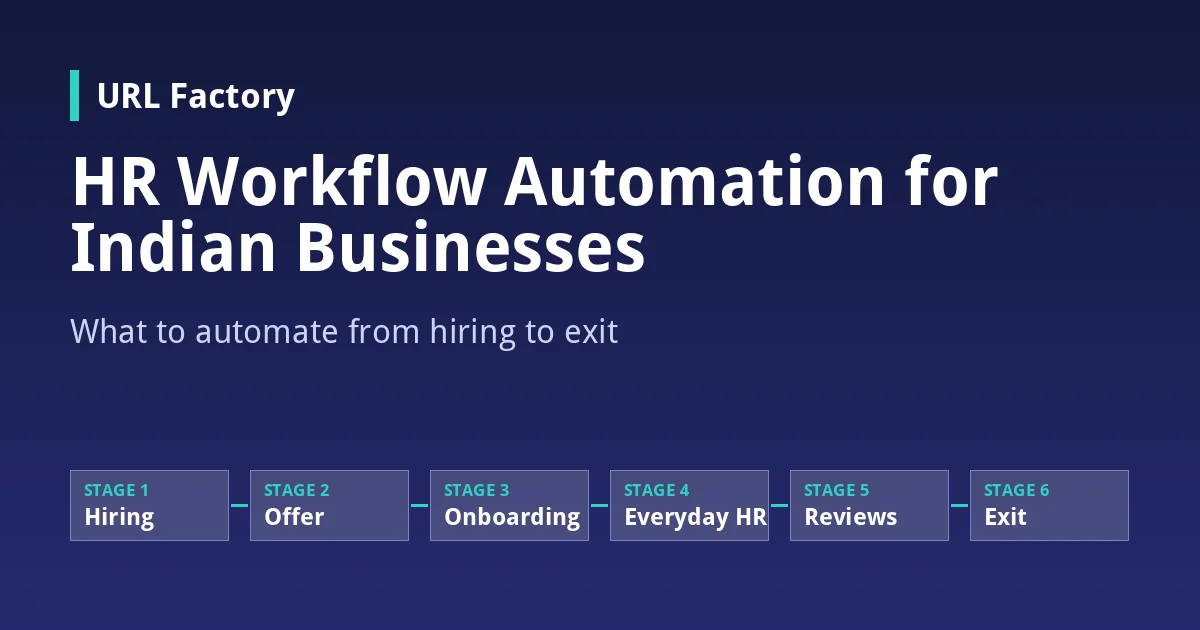
What to automate at each stage of the employee lifecycle
| Stage | Tasks to automate | Keep with people |
|---|---|---|
| Hiring | Collecting applications into one list, acknowledgement messages, interview scheduling and reminders, status updates to candidates | Shortlisting decisions, interviews, final selection |
| Offer and joining | Offer and appointment letters from templates, document collection reminders, joining-day checklist | Salary negotiation, special terms |
| Onboarding | Task lists for IT, admin and the reporting manager, policy acknowledgements, first-week schedule | Welcome, introductions, role training |
| Everyday HR | Leave requests and approvals, attendance reminders, answers to routine policy questions | Exceptions and sensitive requests |
| Performance | Probation and review date reminders, self-review forms, task and goal tracking | Feedback conversations, ratings, decisions |
| Exit | Resignation acknowledgement, clearance checklist across departments, asset return reminders, exit survey | Exit interview, final settlement review |
1. Hiring: stop losing candidates in the inbox
Applications arrive from job portals, referrals, the careers page, email and WhatsApp. When they sit in five places, good candidates wait days for a reply and accept another offer. A simple automated workflow collects every application into one list, sends an acknowledgement, and moves shortlisted candidates into interview scheduling with automatic reminders to both the candidate and the interviewer.
For high-volume roles, such as sales executives or field staff, a first screening call that confirms location, availability and expected salary can save hours. Keep the shortlisting decision with your team.
2. Offer and joining: letters and documents without chasing
Offer letters and appointment letters follow templates. Automation fills in the candidate’s name, designation, salary structure and joining date from the record your team approved, routes the draft for a manager’s sign-off and sends it. Document collection (ID proof, education certificates, bank details, previous employment records) runs on a checklist with reminders until everything is in.
Because these documents contain personal data, store them in a system with access controls, not in email attachments and shared drives.
3. Onboarding: a checklist every department follows
A new joiner touches several teams: IT for laptop and email access, admin for ID cards, the reporting manager for the first-week plan, and HR for policy acknowledgements. Automation creates these tasks the moment a joining date is confirmed and assigns them to the right people with due dates.
With Zea Play, those onboarding tasks can sit alongside everyday team tasks with due dates and reminders, and completed tasks earn XP on the team leaderboard. That gives managers visibility on who has finished their part of onboarding. Our guide to employee gamification for Indian businesses covers how to use XP and rewards without creating unhealthy competition.
4. Everyday HR: answer the same question once
“How many casual leaves do I have left?” “What is the reimbursement limit for travel?” “When is the next holiday?” HR teams answer these questions repeatedly, often on WhatsApp after office hours.
Zea Brain connects to your HR systems and uploaded documents such as policies and SOPs, so employees can ask questions in plain language and get role-based answers. HR gets fewer repeated questions, and employees get answers when they need them. Read more in our guide to AI knowledge assistants for business.
5. Performance: reminders that keep reviews on time
Probation confirmations are easy to miss when they are tracked in a spreadsheet. Automation reminds HR and the reporting manager a set number of days before each probation end date and review cycle, sends self-review forms and collects responses in one place. The review conversation itself stays with the manager.
6. Exit: a clean clearance process
When an employee resigns, several things must happen: acknowledgement, notice period tracking, handover, asset return, access removal, clearance from each department and final settlement. An automated clearance checklist sends each department its task and tracks completion, so final settlement is not delayed because one sign-off was missed.
Where to start: a practical order
If you are automating HR for the first time, do not try to automate everything at once. A sensible order for most Indian SMBs:
- Letters and document collection. High volume, template-based and closely tied to compliance.
- Leave requests and policy questions. Saves HR time every single day.
- Onboarding checklists. Improves the first impression for every new joiner.
- Interview scheduling and candidate updates. Especially useful if you hire regularly.
- Probation, review and exit workflows. Lower volume but important to get right.
Our broader guide on what to automate first explains how to score any process across departments by volume, rules and risk.
Off-the-shelf HRMS or custom workflows?
Many businesses already use a payroll tool or an HRMS. The question is often not “which software” but “how do we connect what we have.” If your HRMS handles payroll well but onboarding still runs on email and spreadsheets, an automation layer that connects your existing tools may be enough.
If your processes are unusual, such as multiple locations with different shift patterns, a large contract workforce or approval chains that no standard tool supports, custom software development may fit better. Our comparison of custom software vs off-the-shelf software walks through how to decide.
Mistakes to avoid
- Automating a broken process. If nobody agrees on who approves leave, automation will just route requests to the wrong person faster. Fix the process first.
- Removing the human from sensitive moments. Rejections after final interviews, performance concerns and exits deserve a personal conversation.
- Ignoring language. If your workforce includes staff who prefer Tamil, Hindi or another language, make sure messages and policy answers work for them.
- Scattered personal data. Employee records should sit in a system with access controls, not across personal phones and shared folders.
- No owner. Every workflow needs someone who checks it is working and updates templates when policies change.
Frequently asked questions
Which HR processes can be automated in a small Indian business?
Interview scheduling, candidate updates, offer and appointment letters, document collection, onboarding checklists, leave requests, routine policy questions, probation reminders and exit clearance are the most common. Decisions about hiring, performance and termination should stay with people.
Do we need an expensive HRMS to automate HR?
Not always. Many businesses start by automating a few high-volume tasks, such as letters and leave requests, using workflow automation that connects to tools they already use. A full HRMS or custom software makes sense when your processes and headcount grow.
Is it mandatory to give appointment letters under the new Labour Codes?
Reports on the four Labour Codes, effective from 21 November 2025, state that employees must be given appointment letters in a prescribed format. Confirm the exact requirements for your business with your legal or payroll advisor.
Can AI answer employees’ HR questions?
Yes, if it is connected to your actual policies and HR data. An AI knowledge assistant such as Zea Brain can answer routine questions about leave, policies and procedures, while sensitive or unusual requests go to the HR team.
How long does it take to automate HR workflows?
It depends on how many processes you include and how many systems need to connect. Starting with one or two workflows, such as letters and leave requests, is faster and lets your team adjust before automating more.
Will automation replace our HR team?
No. Automation removes repetitive admin so the HR team has more time for hiring decisions, employee relationships, training and culture, which are the parts of HR that need people.
Give your HR team their time back
HR automation works best when it starts small: pick the tasks your team repeats most, automate them, and expand from there. Whether that means connecting your existing tools, adding Zea Brain for policy questions, using Zea Play for onboarding tasks or building a custom HR workflow, the goal is the same: less chasing, fewer missed dates and a better experience for every employee.
Want to map out which HR workflows to automate first? Contact Us to talk to the URL Factory team.