
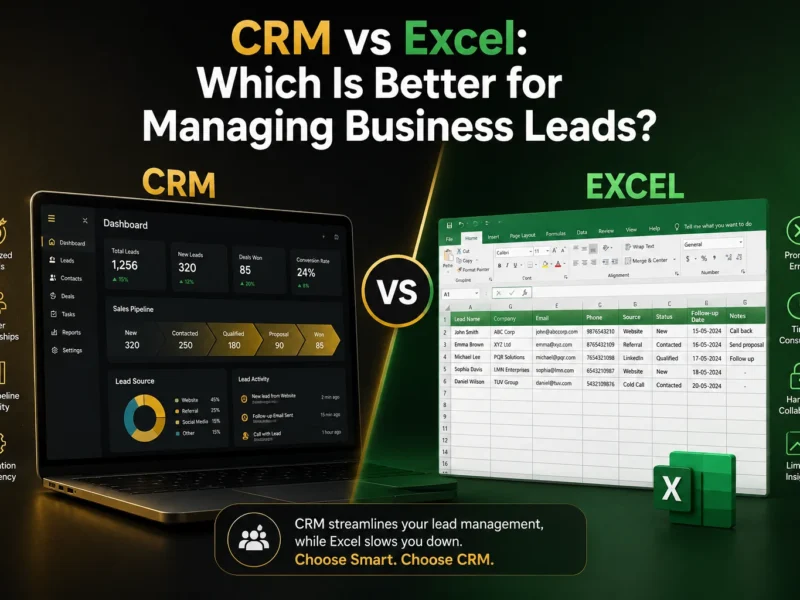
CRM vs Excel: Which Is Better for Managing Business Leads?
CRM vs Excel: Which Is Better for Managing Business Leads? For many small businesses, Excel is one of the first tools used to manage customer and sales information. A simple spreadsheet can be enough when there are only a few leads to track. You can add a customer’s name, phone number, enquiry details, follow-up date, and sales status in different columns. But as the number of leads grows, managing everything through Excel can become difficult. Salespeople may need to search through rows to find customer information, remember when to follow up, update lead statuses manually, and share the latest spreadsheet with other team members. This raises an important question: Should your business continue managing leads in Excel, or is it time to move to a CRM? The answer depends on the size and complexity of your sales process. But understanding the differences between a CRM and Excel can help you make the right decision. Why Do Small Businesses Use Excel for Lead Management? Excel is familiar, flexible, and easy to start with. A business can create a basic lead management spreadsheet within minutes. For a small number of leads, this may work perfectly well. The problem usually appears when the business starts receiving more enquiries and multiple people become involved in the sales process. A spreadsheet that once felt simple can gradually become difficult to maintain. What Is a CRM? CRM stands for Customer Relationship Management. CRM software is designed to help businesses organize customer information, manage leads, track sales opportunities, and manage relationships throughout the sales process. Instead of keeping customer information in rows and columns, businesses can manage leads through a structured system. A CRM can help teams manage areas such as: The exact features available depend on the CRM platform. CRM vs Excel: What’s the Difference? Excel is primarily a spreadsheet tool. A CRM is specifically designed around customer and sales management. Neither option is automatically right for every business. The better choice depends on how your business manages leads today and what your sales process requires. 1. Lead Management One of the biggest differences is how leads are organized. With Excel, each lead usually occupies a row. As the spreadsheet grows, finding the right information can take more effort. A CRM treats each lead as a record that can contain relevant customer and sales information. This makes it easier for sales teams to work with leads based on their current status and sales stage. For example: New → Contacted → Qualified → Proposal → Negotiation → Won/Lost The exact stages should reflect the business’s actual sales process. 2. Follow-Up Management Follow-up is one of the areas where spreadsheets can become difficult. A salesperson may enter a follow-up date in Excel, but someone still needs to check the spreadsheet and remember to take action. A CRM can support structured follow-up workflows. For example: New enquiry → Initial response → Follow-up → Sales conversation → Next action Depending on the CRM, some repetitive actions can also be automated. This is particularly useful for businesses handling a growing number of enquiries. The objective isn’t to remove human interaction. It is to make sure the sales team has a clear process for managing follow-ups. 3. Sales Pipeline Management Excel can be used to track sales stages, but businesses often need to create and maintain their own system. A CRM is built around the concept of managing leads and opportunities through a sales pipeline. A sales manager can potentially see: This provides a more structured view of the sales process. 4. Team Collaboration Managing leads through a spreadsheet can become complicated when several salespeople need to work on the same information. Questions can arise: A centralized CRM can give the team a shared system for managing customer and sales information. This can reduce dependence on individual spreadsheets and personal records. 5. Customer History A customer’s relationship with a business rarely consists of a single interaction. There may be several calls, messages, emails, enquiries, appointments, and sales conversations. Trying to maintain all of this information manually in a spreadsheet can become increasingly difficult. A CRM can organize customer-related information within a structured customer record. This gives salespeople more context when they continue a conversation with an existing lead or customer. 6. Sales Automation This is another important difference. Excel can store information about what needs to happen. A CRM can be used to help manage what happens next. For example, a business could create a workflow around a new enquiry. Instead of: Lead arrives → Someone notices it → Someone remembers to follow up The process can become: Lead arrives → Lead enters CRM → Sales process begins → Follow-up workflow → Salesperson handles the conversation The exact automation available will depend on the CRM platform and its configuration. 7. Reporting and Visibility Business owners need more than a list of leads. They often need to understand what’s happening across the sales process. For example: Excel can provide this information, but businesses may need to create formulas, filters, charts, and reports themselves. Many CRM platforms provide dashboards and reporting capabilities designed specifically around sales activity. When Is Excel Still a Good Option? Moving to a CRM does not mean Excel is always the wrong choice. Excel may still be suitable when: For a very small operation, introducing a CRM too early may add unnecessary complexity. The important thing is to evaluate the actual business requirement. When Should a Business Move From Excel to a CRM? There isn’t one specific number of leads that means a business must adopt CRM software. Instead, look for operational problems. It may be time to evaluate a CRM when: You Are Missing Follow-Ups If salespeople regularly forget to contact leads, a structured follow-up process may help. Your Spreadsheet Is Becoming Difficult to Manage If finding, updating, and maintaining customer information is taking too much time, a CRM may provide a better structure. Multiple People Manage Leads As the sales team grows, sharing customer information through spreadsheets